Teaching has always demanded more hours than the school day allows, but AI tools for education are beginning to shift that equation in meaningful ways. Whether you’re a veteran educator or just starting out, the right AI assistant can reclaim hours of planning time, help you personalize instruction, and reduce administrative drag. This guide reviews the best AI tools for teachers in 2026, grounded in real data and practical classroom application. For broader context on edtech trends, explore our Education articles.
Why Teachers Are Turning to AI in 2026
Teacher AI adoption has nearly doubled in two years, driven by time pressure and expanding tool availability, but most educators are still navigating this shift without formal training or district-level guidance.
The numbers tell a clear story. Education Week’s 2026 analysis found that teacher AI adoption nearly doubled from 34% in 2023 to 61% in 2025, with platforms like Google Classroom, Canva, Kahoot, Khan Academy, and Microsoft all embedding AI features directly into tools educators already use. The barrier to entry has dropped significantly.
“According to the RAND Corporation’s nationally representative survey, 54% of teachers and 53% of students used AI tools in the 2024–25 school year — an increase of more than 15 percentage points from the prior year — yet most districts still lack formal AI guidance policies for staff.” — RAND Survey on AI Use in K-12 Schools
That policy gap matters. Teachers are experimenting largely on their own, which is why practical, vetted information about which tools hold up in real classrooms is more valuable than ever.
How Much Time Can AI Actually Save?
Time savings are one of the most cited benefits — and some data points are striking. Programs.com’s 2026 AI in Education Statistics reports that AI tools may save teachers an average of six weeks of work per year when used consistently for lesson planning, feedback, and administrative tasks. Results vary by subject area, grade level, and how deeply the tools are integrated into daily workflows.
Best AI Tools for Teachers: A Practical Comparison
The strongest AI tools for teachers in 2026 combine lesson planning, differentiation, and feedback features — with the most widely adopted platforms offering free tiers specifically designed for K-12 educators.
| Tool | Primary Use Case | Free Tier for K-12? | Best For | Notable Feature |
|---|---|---|---|---|
| MagicSchool AI | Lesson planning, differentiation, IEP support | Yes | All grade levels, special education | 60+ educator-specific AI tools in one platform |
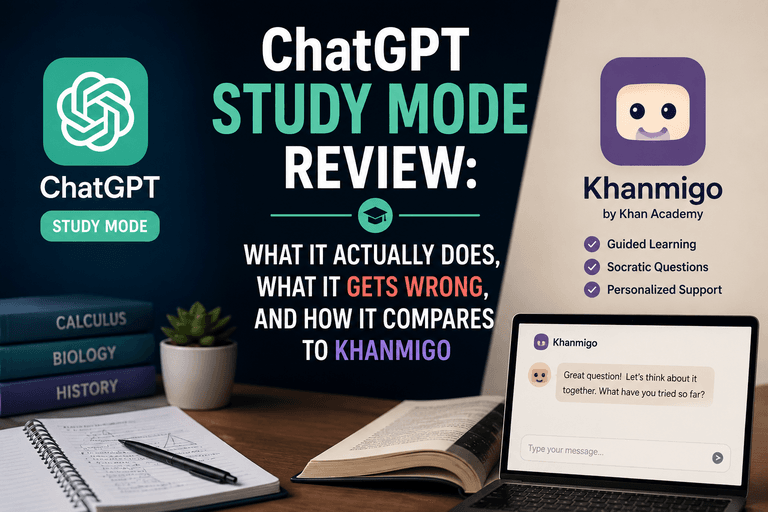
| Khan Academy Khanmigo | Personalized tutoring, teacher coaching | Yes (free for U.S. teachers) | Math and science, K-12 | Socratic questioning model; avoids giving direct answers |
| ChatGPT (Edu version) | Content generation, rubric writing, feedback drafts | Limited (free tier available) | Secondary and higher ed | Most widely used AI tool among teachers globally |
| Canva AI (Magic Write) | Slide design, visual content, worksheets | Yes (Canva for Education) | Visual learners, presentations | Integrated into a familiar design workflow |
| Google Gemini in Classroom | Assignment creation, grading assistance, summaries | Yes (via Google Workspace for Education) | Schools already using Google tools | Deep integration with Docs, Forms, and Classroom |
| Grammarly for Education | Student writing feedback, plagiarism awareness | Yes (basic tier) | ELA teachers, writing-intensive courses | 25% of teachers report using it regularly |
Usage data from DemandSage’s 2026 AI in Education report — drawing on sources including UNESCO, Harvard, and Pew Research — shows ChatGPT leads overall adoption at 66% among educator users, with Grammarly second at 25%. Specialized tools like MagicSchool AI are growing rapidly among K-12 teachers specifically.
MagicSchool AI for Educators: Is It Worth Using?
MagicSchool AI has emerged as one of the most teacher-specific platforms available, offering a suite of over 60 tools covering everything from differentiated lesson plans to behavioral support documentation.
MagicSchool AI for educators stands out because it was built with teacher workflows in mind rather than adapted from a general-purpose chatbot. Its tools address real classroom pain points: writing IEP accommodations, generating tiered assignments for different reading levels, creating parent communication drafts, and designing assessment rubrics. The free plan is functional and accessible without requiring a school district license, which makes it practical for individual teachers to try independently.
AI Lesson Planning Tools in 2026: What Works?
AI lesson planning tools in 2026 have matured beyond simple content generation. The most useful platforms now support backward design — starting from learning objectives and building activities and assessments around them. MagicSchool, Khanmigo, and Google Gemini all offer some capacity to align lesson output to specific standards, including Common Core and Next Generation Science Standards, though the accuracy of those alignments should always be verified by the teacher before use.
Free AI Tools for K-12 Teachers: Where to Start
Budget is a real constraint for many educators, and the good news is that free AI tools for K-12 teachers have expanded significantly. Khan Academy’s Khanmigo is free for U.S. teachers as of 2025. Canva for Education provides full access to AI features at no cost to verified educators. MagicSchool AI’s free tier covers the majority of its lesson planning tools. Google Gemini is available to any school using Google Workspace for Education. Starting with one platform and building fluency before expanding is generally more effective than experimenting with many tools at once.
“According to the OECD Digital Education Outlook 2026, effective AI tools in teaching contexts need to meet clear pedagogical design criteria — supporting teacher agency, enabling formative feedback, and aligning with curriculum goals — rather than simply automating tasks. The evidence base for AI tutors and teacher support tools is promising but still developing.” — OECD Digital Education Outlook 2026

Do AI Tools Actually Help Students Learn?
Research on AI’s impact on student outcomes is growing but still early-stage — current evidence suggests benefits for engagement and personalization, with important caveats around equity, overreliance, and pedagogical design.
The enthusiasm around AI tools is real, but so is the need for caution. Research suggests that AI tutoring tools may improve engagement and help students who need additional practice at their own pace — Khan Academy’s Khanmigo is often cited in this context. However, the OECD notes that the evidence base is still developing, and outcomes depend heavily on how tools are implemented and whether teachers remain active in the learning process. AI used as a shortcut by students or teachers, tends to yield weaker results than AI used as a scaffold.
Alternative Perspectives
Not all educators are optimistic about AI in the classroom. Some researchers and teachers raise concerns that heavy AI use may reduce students’ capacity for independent critical thinking, particularly in writing-intensive courses where the struggle of drafting is part of the learning. There are also equity concerns: students in under-resourced schools may have less reliable device access, creating a gap between who benefits from AI tools and who doesn’t. Privacy advocates caution that student data shared with third-party AI platforms requires careful vetting of terms of service, especially for minors. These are legitimate considerations, and districts should weigh them alongside productivity benefits when forming AI policies.
Tips for Getting Started with AI as a Teacher
Educators who see the most benefit from AI tools tend to start with one specific task, build a repeatable workflow, and evaluate outputs critically before sharing them with students.
Practical entry points that many teachers find effective include using AI to generate a first draft of a quiz, then editing it rather than writing from scratch; using it to differentiate a reading passage for multiple reading levels; or prompting it to suggest discussion questions aligned to a specific text. The key habit is treating AI output as a starting point, not a finished product. Maintaining your professional judgment — about accuracy, appropriateness, and fit for your specific students — remains essential.
Frequently Asked Questions
ChatGPT remains the most widely used AI tool among educators globally, with approximately 66% of teacher AI users reporting they use it, according to DemandSage’s 2026 report. However, specialized platforms like MagicSchool AI are growing quickly among K-12 teachers due to their classroom-specific features.
Yes. Khan Academy’s Khanmigo is free for U.S. teachers, MagicSchool AI offers a functional free tier, Canva for Education provides full AI feature access at no cost to verified educators, and Google Gemini is available to schools using Google Workspace for Education. Most major platforms offer some level of free access.
Research suggests consistent AI use for planning, feedback, and administrative tasks may save teachers an average of six weeks of work per year, according to Programs.com’s 2026 AI in Education statistics. Actual savings depend on how frequently and effectively tools are integrated into daily workflows.
MagicSchool AI includes tools designed specifically for special education contexts, including IEP goal writing, accommodation suggestions, and behavior support documentation. As with any AI output, special education professionals should review and adapt generated content carefully to ensure it meets each student’s individual legal and educational requirements.
Disclaimer: AI tools are powerful assistants, but they do not replace human oversight. When experimenting with free AI platforms, ensure you are compliant with your school’s data security standards. Avoid uploading real student names, grades, or sensitive documentation. Treat all AI outputs as first drafts that require professional verification.