
Device code phishing is an attack technique that tricks users into handing over valid authentication tokens by abusing the OAuth 2.0 device authorization flow, allowing attackers to bypass multi-factor authentication entirely without ever stealing a password. The attacker generates a legitimate device code from Microsoft, Google, or another identity provider, then socially engineers the target into entering it at the real login page, which hands the attacker a live session token. Because the token is issued by the real IdP and MFA is satisfied by the victim, no phishing page, no malware, and no credential theft is required.
Key Takeaways
- Device code phishing bypasses MFA by abusing a legitimate OAuth 2.0 flow, meaning standard MFA alone is not sufficient protection against this attack class.
- Microsoft reported over 7 million device code phishing attempts in a single four-week window leading up to April 2026, confirming this is no longer a niche threat.
- Access tokens issued via the device code flow can persist for hours to weeks depending on the tenant’s token lifetime policy, giving attackers extended unauthorized access even after the initial session ends.
- Blocking the device code OAuth grant type at the Conditional Access policy level (in Microsoft Entra ID and equivalent platforms) is the single highest-impact technical control available to defenders.
- AI-generated lure messages have made the social engineering component significantly harder to detect by pattern or grammar alone, as confirmed in Microsoft’s April 2026 threat intelligence report.
What Is Device Code Phishing, Exactly?
Device code phishing hijacks a legitimate authentication flow designed for input-limited devices like smart TVs, repurposing it to steal session tokens from business users without triggering standard phishing defenses.
The device authorization grant (defined in RFC 8628) was built for a reasonable purpose: letting a device with no browser or keyboard, think a smart TV or a printer, authenticate to a cloud service by displaying a short code. The user goes to a verification URL on a second device, types the code, and the TV gets its token. Simple, clean, and deliberately user-friendly.
Attackers figured out that “user-friendly” is a vulnerability. Here is what the attack actually looks like step by step.
The attacker visits the Microsoft (or Google, or Okta) device authorization endpoint and requests a code for a legitimate app client ID, often Microsoft Office or Microsoft Teams. The identity provider returns two things: a device_code that the attacker holds privately, and a user_code, a short alphanumeric string like BDFHJLNPR, paired with a verification URL like microsoft.com/devicelogin.
The attacker then sends the target a phishing message, usually via email, Teams, or LinkedIn, asking them to log in to verify their account, join a meeting, or confirm a security alert. The message includes the real user_code and a link to the real Microsoft verification page. Nothing in the URL is fake. The domain is legitimate. The page is real. The target enters the code, completes MFA on their own device, and Microsoft issues an access token tied to the attacker’s waiting session.
The attacker polls the token endpoint in the background. The moment the victim clicks approve, the attacker receives a valid OAuth access token and refresh token for that user’s Microsoft 365, Azure, or Google Workspace environment. The victim may never see a warning. No credential was stolen. No suspicious login from an unusual location is triggered at the moment of token issuance because the token was issued legitimately.
Why This Attack Specifically Targets Enterprise Environments
Device code phishing is almost exclusively an enterprise-grade threat. Consumer accounts rarely hold the lateral movement value that makes the token worth the effort. In a Microsoft 365 tenant, a single harvested token can give an attacker access to Outlook, SharePoint, OneDrive, Teams, and depending on assigned permissions, Azure management APIs. From one token, a skilled attacker can enumerate the directory, identify privileged accounts, exfiltrate emails, and move laterally using the victim’s own credentials and existing trust relationships.
The attack also sidesteps most email security gateway detections because the lure message contains no malicious link, no payload, and no spoofed domain. The link goes to microsoft.com. Reputation-based filtering has no signal to act on. This is a core reason device code phishing has grown so rapidly as a preferred technique among threat actors targeting Microsoft 365 and Google Workspace tenants as part of the broader threat landscape in tech reshaping enterprise authentication security.
Is MFA Still Enough to Stop Modern Phishing Attacks?
Multi-factor authentication stops credential theft, but it does not stop token theft, and device code phishing is explicitly a token theft technique, meaning MFA-protected accounts are fully vulnerable without additional controls in place.
This is the part that causes real confusion in organizations that invested heavily in MFA rollouts and assumed the problem was solved. MFA works exactly as designed during a device code phishing attack. The victim genuinely authenticates with their second factor. The issue is that authentication and authorization are two different things, and the attacker is capturing authorization, not guessing credentials.
Once an access token is issued, it operates independently of the MFA event that produced it. Microsoft Entra ID access tokens for Microsoft 365 services have a default lifetime of one hour. Refresh tokens, which allow silent re-issuance of new access tokens, can persist for 90 days under default configurations. Some tenants with custom token lifetime policies may have extended these windows further, which may significantly increase attacker dwell time after a successful compromise.
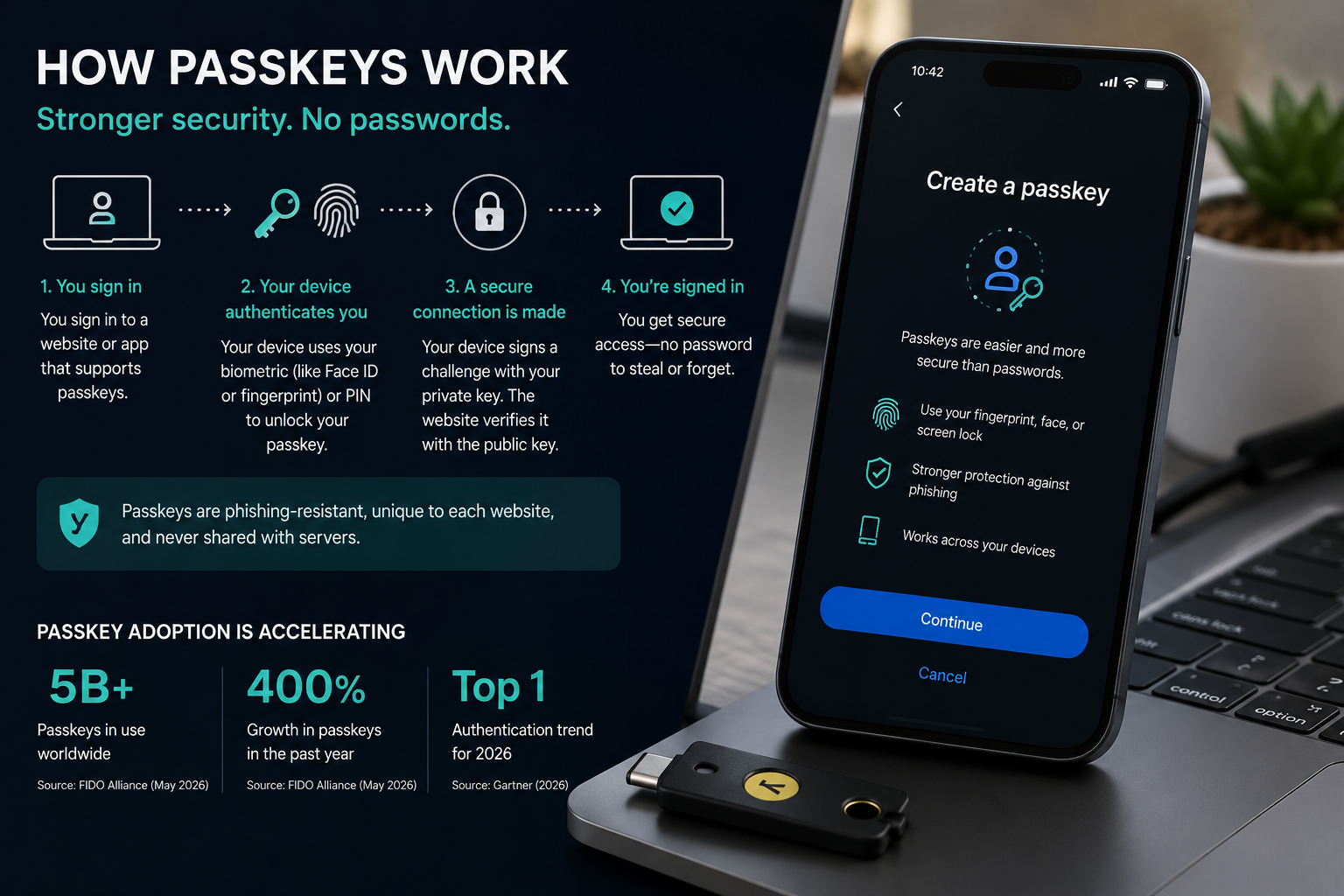
Phishing-resistant MFA methods do change this calculus somewhat, but only in specific configurations. FIDO2 security keys (YubiKey 5 series, Google Titan) and Windows Hello for Business bind authentication cryptographically to the relying party origin. Because the verification happens at microsoft.com/devicelogin, a legitimate Microsoft domain, FIDO2 would still complete successfully there, meaning phishing-resistant MFA alone does not block device code phishing. The control that actually blocks it is disabling the device code grant type entirely at the Conditional Access policy level.
What the April 2026 Attack Campaign Revealed
Microsoft’s threat intelligence team documented a coordinated campaign between late March and late April 2026 that used AI-generated lure messages to dramatically increase the believability of the initial social engineering step. According to Microsoft, this campaign generated more than 7 million device code phishing attempts across that four-week window, targeting primarily energy, defense, financial services, and government-adjacent organizations in the United States, Europe, and parts of Asia-Pacific.
The AI component is operationally significant. Earlier device code phishing campaigns relied on templated messages that security-aware users could sometimes identify by phrasing, formatting inconsistencies, or generic subject lines. The April 2026 campaign used messages that were contextually personalized, grammatically indistinguishable from internal IT communications, and in some cases referenced specific internal systems or recent organizational events, likely sourced from prior reconnaissance or public LinkedIn data. Grammar-based detection and “hover over the link” training are not reliable defenses against this generation of lure content.
This campaign also confirmed a pattern that security researchers at Proofpoint and Barracuda had been tracking since late 2024: threat actors are increasingly pre-generating device codes in batches and distributing them through coordinated infrastructure, shortening the window between code generation and victim contact to reduce the risk of code expiry (device codes typically expire within 15 minutes of generation under Microsoft’s defaults).
How to Stop Device Code Phishing: Technical Controls That Actually Work
The most effective defense is a Conditional Access policy that blocks the device code grant type for all users, combined with token lifetime hardening and continuous access evaluation to limit how long a stolen token remains usable.
This is part of WideJournal’s ongoing cybersecurity coverage of identity-layer attacks, and the control guidance here reflects what is currently deployable in Microsoft Entra ID, with parallel options noted for Google Workspace and Okta.
Block the Device Code Grant in Conditional Access
In Microsoft Entra ID (formerly Azure Active Directory), navigate to Protection, then Conditional Access, and create a new policy targeting all users and all cloud apps. Under Grant controls, use the “Block access” setting and scope it to the device code authentication flow. As of Entra ID’s June 2026 feature set, the authentication flows condition explicitly lists “Device code flow” as a selectable option under the Conditions blade. Enable this policy in Report-only mode for at least 72 hours to identify any legitimate device code usage (shared displays, conference room systems, certain IoT endpoints) before switching to Enforce.
If your organization does use device code authentication for legitimate endpoints, create a named location or a compliant device condition to allow those specific flows while blocking all others. A blanket block is cleaner and lower-risk, but operational reality sometimes requires exceptions. Document those exceptions and review them quarterly.
Harden Token Lifetimes
Default Microsoft Entra ID refresh token lifetimes of 90 days give attackers a substantial window. Using the Entra ID Token Lifetime Policy API, organizations can reduce refresh token lifetimes to 1 to 8 hours for high-risk roles (Global Administrator, Exchange Administrator, SharePoint Administrator) and 24 hours for standard user accounts. This does not eliminate the threat but it caps attacker dwell time significantly and increases the operational cost of maintaining persistent access.
Continuous Access Evaluation (CAE), available in Entra ID P1 and P2 licensing tiers, adds real-time token revocation capability. With CAE enabled, if a user account is disabled, a location policy changes, or a risky sign-in is flagged by Identity Protection, the token can be invalidated within seconds rather than waiting for the next expiry check. CAE is one of the few controls that can interrupt an active device code phishing session after the token has already been issued.
Google Workspace and Okta Parallel Controls
Google Workspace does not offer a direct Conditional Access analog for blocking the device code grant, but organizations can restrict which third-party OAuth applications are permitted to request tokens via the Admin Console under Security, then API Controls, then App Access Control. Restricting token issuance to managed, pre-approved apps significantly reduces the attack surface. Okta’s Adaptive MFA and Device Trust policies can be configured to deny authentication flows that do not originate from a managed device context, which would block most device code phishing scenarios where the attacker is operating from an unmanaged or unknown device.
Device Code Phishing at a Glance: Control Comparison
| Defense Control | Platform | Blocks Initial Token Issuance? | Limits Token Dwell Time? | Detects Attack in Progress? | Licensing Requirement |
|---|---|---|---|---|---|
| Conditional Access: Block Device Code Flow | Microsoft Entra ID | Yes | N/A (prevents issuance) | No | Entra ID P1 |
| Continuous Access Evaluation (CAE) | Microsoft Entra ID | No | Yes (near real-time revocation) | Partial | Entra ID P1/P2 |
| Reduced Refresh Token Lifetime Policy | Microsoft Entra ID | No | Yes (caps window to hours) | No | Entra ID P1 |
| FIDO2 / Phishing-Resistant MFA | Microsoft, Google, Okta | No (does not block device code flow) | No | No | Varies by platform |
| App Access Control (OAuth App Allowlist) | Google Workspace | Partial (restricts app scope) | No | No | Business Standard+ |
| Device Trust Policy | Okta | Partial (blocks unmanaged device flows) | No | No | Okta Adaptive MFA |
| Identity Protection Risk-Based Policies | Microsoft Entra ID | No | Partial (triggers re-auth on risk signal) | Yes (post-issuance) | Entra ID P2 |

Blocking Device Code Phishing at the Network and Policy Level
Understanding the attack is only half the battle. Defenders need layered controls that intercept device code phishing at multiple points in the authentication chain, because no single control is sufficient on its own.
The most effective first-line control is restricting the device code flow at the identity provider level. In Microsoft Entra ID, Conditional Access policies can block the urn:ietf:params:oauth:grant-type:device_code grant type for all users who do not have a legitimate need for it, which, in most enterprise environments, means everyone except a small group of IT operators managing headless infrastructure. Microsoft’s own guidance acknowledges that device code flow “cannot enforce Conditional Access policies in all scenarios,” which is precisely why restricting it proactively is more reliable than trying to detect misuse after the fact.
For organizations running Okta, Device Trust policies can reject authentication requests originating from unmanaged devices. This does not eliminate device code phishing entirely; an attacker who has already obtained a token from a managed device is unaffected, but it raises the floor significantly by ensuring that a victim’s personal laptop or phone cannot be the launchpad for a successful token issuance. Pairing Device Trust with Okta’s ThreatInsight network reputation checks adds a second signal that can catch phishing infrastructure even when the device itself passes inspection.
Network-level controls offer a complementary layer. Many device code phishing campaigns rely on attacker-controlled servers polling Microsoft’s login.microsoftonline.com or similar endpoints from datacenter IP ranges that have no legitimate relationship to the target organization. Egress filtering, combined with cloud access security broker (CASB) policies that flag authentication flows initiated from anomalous locations, can surface these patterns before a token is exchanged. Security information and event management (SIEM) rules that alert on device code grant completions, especially those where the polling IP differs geographically from the user’s known location, are among the highest-fidelity detections available right now, partly because so few attackers have adapted their infrastructure to blend those signals.
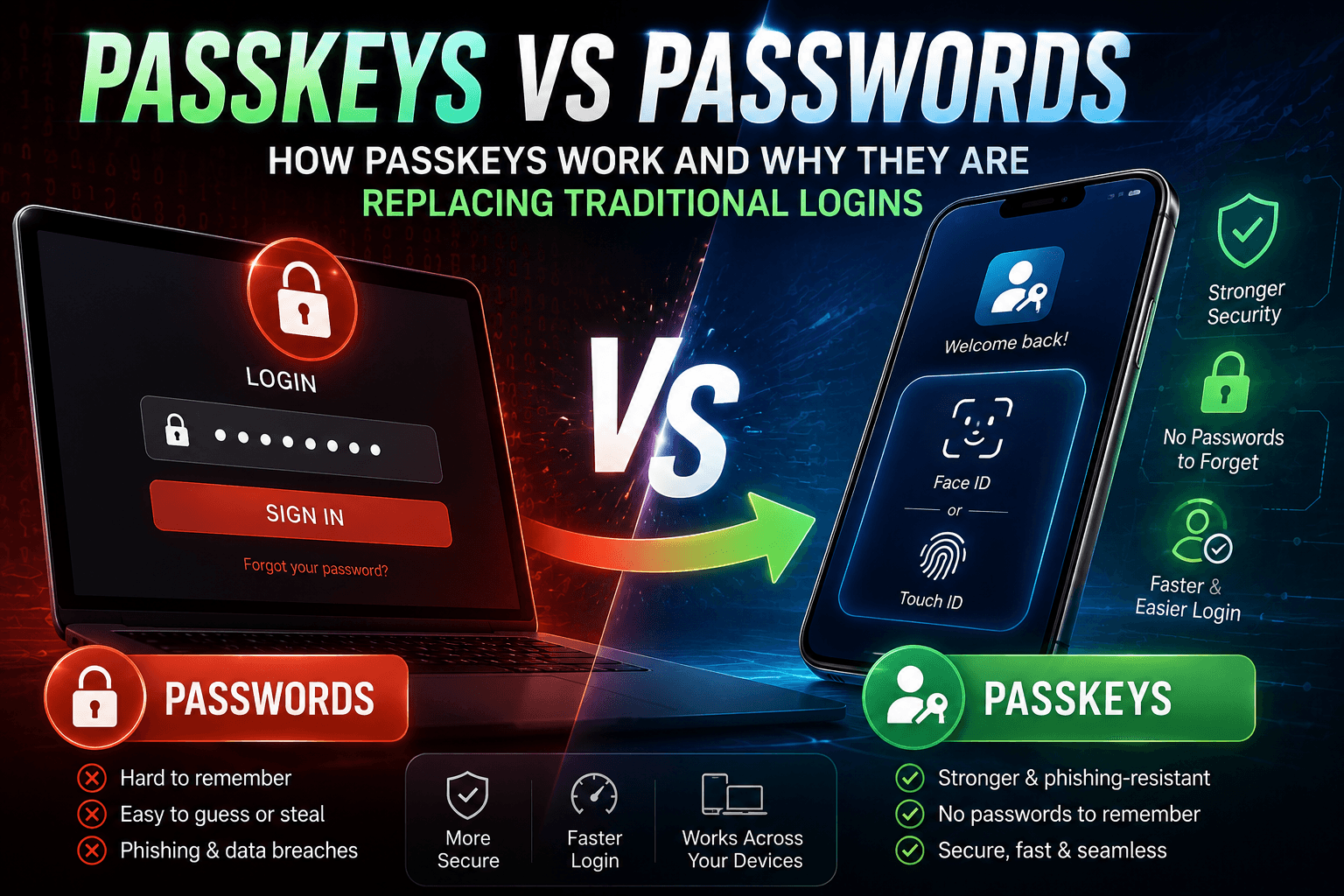
Phishing-resistant MFA is frequently cited as the solution to phishing broadly, and it does close the credential-theft vector. It does not, however, close the device code vector, because the attack bypasses the authentication ceremony entirely; the token is issued before phishing-resistant MFA has anything to authenticate against. Teams that have invested in FIDO2 passkeys or certificate-based authentication should still treat device code flow restriction as a separate, necessary control rather than assuming their MFA investment covers it.
Detecting Active Device Code Phishing Campaigns in Your Environment
Detection is where many security teams discover they have a blind spot. Because device code phishing does not involve a malicious URL click or a credential form submission, it generates none of the log signals that most detection rules are tuned to catch. The attacker’s footprint exists almost entirely in OAuth token issuance logs, and those logs are not always forwarded to SIEM by default.
The first step is confirming that your identity provider is logging device code grant completions with enough fidelity to support detection. In Microsoft Entra ID, sign-in logs capture the authentication method and grant type, but the device code grant type appears under non-interactive sign-ins, a category that many teams deprioritize. Redirecting those logs into Microsoft Sentinel or a third-party SIEM, and writing a detection rule that fires when a non-interactive sign-in uses device code flow for a privileged account or a sensitive application, is a high-value, low-noise starting point.
Behavioral baselines matter here more than static rules. A device code flow completion that originates from a known corporate egress IP, for a user who regularly manages Azure resources from that IP, is almost certainly legitimate. The same grant type appearing at 2 a.m. from a residential ISP in a country the user has never logged in from is a different story. Identity protection platforms that maintain per-user location and device baselines, Entra ID P2’s Identity Protection, or Okta’s Behavioral Detection can apply this context automatically and trigger step-up authentication or session revocation without requiring a human analyst to correlate the signals manually.
Token lifetime policies are an underused detection-adjacent control. Shortening the lifetime of refresh tokens issued via device code flow, Entra ID allows this through token lifetime policies applied to specific app registrations, limits the window an attacker has to use a stolen token before it expires. This is not detection in the strict sense, but it converts a persistent access problem into a temporary one, which meaningfully reduces blast radius when a compromise is discovered during an investigation rather than in real time.
Hunting for device code phishing in historical logs is also worthwhile for any organization that has not previously audited this grant type. A query across 90 days of sign-in logs, filtered to device code grants where the polling client IP differs from the user’s typical sign-in IP by more than a defined geolocation threshold, will frequently surface either active compromises or past incidents that were never attributed. According to CISA’s cybersecurity advisories, threat actors targeting cloud environments increasingly rely on OAuth abuse techniques precisely because they know most defenders are not actively hunting those logs.
How to Simulate Device Code Phishing for Security Awareness Training
Security awareness training has not caught up with device code phishing, and the gap is structural, not cosmetic. Every major phishing simulation platform —KnowBe4, Proofpoint Security Awareness, Cofense, Hoxhunt—is built around the same core model: send a simulated malicious email, measure who clicks a link or submits credentials on a fake login page, and deliver remediation training to those who failed. That model cannot replicate device code phishing, because device code phishing does not involve a malicious link or a credential submission. The victim never visits a spoofed website. The victim never types a password. The victim opens a legitimate Microsoft or Google authentication page, enters a real code, and completes a real authentication flow. A simulation platform that intercepts the click or the credential entry has nothing to intercept.
This is not a vendor criticism; it is a technical constraint. The OAuth device authorization flow was designed so that the code entry happens on a trusted, first-party domain. Simulating the attack faithfully would require either hijacking that domain (impossible) or building a parallel authentication environment that mimics the UX closely enough to be realistic (legally and technically fraught for a third-party vendor). Until a vendor solves that problem, and none currently has, security teams are on their own when it comes to building effective awareness scenarios for this threat.
The practical playbook starts with accepting what simulation can and cannot do here. You cannot send users a fake device code phishing message and measure whether they enter the code, because you cannot intercept the entry. What you can do is teach users the one rule that matters with enough repetition and context that it becomes reflexive: if you did not initiate the authentication, do not enter the code. Everything else in device code phishing awareness flows from that single heuristic. The attacker’s entire leverage depends on the user believing that the code request is legitimate. Remove that belief, and the attack fails.
Building a training scenario around this rule requires a different format than a standard phishing simulation. Walk users through a realistic narrative: they receive a message by email, Teams, Slack, WhatsApp, or even a phone call, telling them that IT needs them to authenticate to complete a software deployment, resolve a licensing issue, or verify their account. The message includes a URL and a code. The URL resolves to a real Microsoft or Google authentication page. The user is asked to enter the code. The training question is not “did you click the link” but “did you ask yourself whether you initiated this request?” Because the answer, in this scenario, is no. The user did not open an app, did not start a login process, did not do anything that would require authentication. The code arrived unsolicited. That is the signal.
Scenario variation matters for retention. Run the narrative with different pretexts: IT help desk, software licensing, external vendor onboarding, executive assistant asking on behalf of a senior leader, so users understand that the channel and the authority figure are irrelevant. The rule does not change based on who is asking. Run it with different urgency levels, because attackers frequently apply time pressure (“the code expires in 15 minutes”) to short-circuit deliberation. Run it across different communication channels, because most users have been trained to be suspicious of email but are far more trusting of internal messaging platforms like Teams or Slack, which is exactly why sophisticated campaigns have shifted toward those channels.
For tabletop exercises at the team and leadership level, incorporate the post-compromise scenario: a user has already entered the code, and the security team needs to detect and respond. Walk responders through where the token issuance log appears, how to identify which applications the token was scoped to, how to revoke the session, and how to assess lateral movement. This reinforces detection and response muscle memory alongside the prevention-side awareness training, and it surfaces gaps in your log visibility before a real incident does.
The honest framing for all of this awareness work is that it raises the floor rather than closing the door. A sufficiently convincing pretext, delivered at the right moment of distraction, will still fool some percentage of users. That is why the technical controls — restricting device code flow, shortening token lifetimes, monitoring non-interactive sign-in logs — must exist alongside the awareness program rather than being treated as alternatives to it. Awareness training answers the question “what should users do when they see this?” Technical controls answer the question “what happens when they don’t?”
One concrete deliverable security teams can produce internally is a one-page visual guide that walks users through what a device code phishing attempt looks like at each stage, contrasted with what a legitimate device code flow looks like in contexts where the organization actually uses it (Azure CLI operations, for example). If your organization does not use device code flow for any legitimate purpose, that contrast is even simpler: no legitimate process at this organization will ever ask you to enter a code at microsoft.com/devicelogin or google.com/device unless you personally started a login on a TV or headless device. If in doubt, call IT directly; do not respond in the same channel where the request arrived.
Conclusion
Device code phishing is not an exotic edge case anymore. It is a mature, operationally proven technique that nation-state actors, ransomware affiliates, and business email compromise groups have all folded into their standard playbooks, partly because it works against organizations that have invested heavily in phishing-resistant MFA and consider themselves well-defended. The controls that block it — restricting the device code OAuth grant type, enforcing device trust policies, monitoring non-interactive sign-in logs, shortening refresh token lifetimes — are available in the platforms most enterprise organizations already pay for, but they require deliberate configuration that does not happen by default. The awareness gap is real and currently unserved by commercial simulation tooling, which means security teams have to build that training themselves, anchored to the single principle that makes users resistant to this attack: if you didn’t initiate the authentication, don’t enter the code. Layering those technical controls with that human-side training, and backing both with a detection and response capability that actually covers OAuth token abuse, is what a mature defense against this threat looks like in 2026, and while this guidance applies broadly, organizations in high-risk sectors or those with complex hybrid identity environments should work with a qualified cybersecurity professional to tailor these controls to their specific architecture before making changes to identity provider policies.
Frequently Asked Questions
Does phishing-resistant MFA protect against device code phishing?
Not on its own. Phishing-resistant MFA methods like FIDO2 passkeys and certificate-based authentication prevent an attacker from stealing your password or intercepting a one-time code during a fake login page interaction. Device code phishing bypasses that layer entirely by getting you to authorize a real authentication session that the attacker controls. The token is issued through a legitimate OAuth flow, so phishing-resistant MFA has no point of intervention. You need to separately restrict or monitor the device code grant type at the identity provider level to close this specific gap.
How can I tell if my organization has already been compromised by a device code phishing attack?
The most reliable place to look is your identity provider’s non-interactive sign-in logs. In Microsoft Entra ID, filter for sign-ins where the authentication method is listed as device code flow, then cross-reference the polling client IP against your users’ known sign-in locations and devices. Discrepancies, especially logins from datacenter IP ranges, unfamiliar geographies, or unusual times, are high-fidelity indicators of a past compromise. If you find suspicious entries, check what application scopes were granted and whether any downstream activity (mail access, SharePoint reads, Teams messages) followed the token issuance. According to NIST’s Zero Trust Architecture guidelines, continuous monitoring of OAuth token activity is a foundational component of a zero trust posture.
What is the difference between device code phishing and a standard OAuth consent phishing attack?
They are related but distinct. OAuth consent phishing, sometimes called illicit consent grant attacks, tricks a user into approving a malicious third-party application’s permission request during a normal interactive login. The user authenticates with their own credentials and MFA, then unknowingly grants the malicious app persistent access. Device code phishing is different in that there is no malicious app requesting consent in the traditional sense; instead, the attacker initiates a device code flow and hands you a legitimate-looking code to enter, completing an authentication session that issues a token directly to the attacker’s client. Both attacks result in persistent OAuth token access, but they exploit different parts of the authorization flow and require different mitigations.
Can blocking device code flow break legitimate business workflows?
It can, if your organization uses tools that depend on it. The device code grant type was designed for scenarios where a user cannot complete an interactive browser-based login; command-line tools like the Azure CLI and Microsoft Graph PowerShell modules are common examples, as are some TV apps and IoT management interfaces. Before restricting the grant type globally, audit your environment for any services or scripts that authenticate via device code flow and either migrate them to a service principal with certificate-based authentication or create a Conditional Access policy exception scoped narrowly to those specific users and applications. Broad restriction without that audit is likely to break operational workflows; targeted restriction based on a prior inventory is the right approach.