
Whether you are prepping for finals, working through a dense reading list, or trying to get a first draft off the ground, the right AI study tool can make a measurable difference. Educators across the US and Canada are already integrating these platforms into their classrooms (see our guide to the Best AI Tools for Teachers in 2026 for the tools your professors may already be recommending). This article focuses on students specifically, matching the best AI tools for students 2026 to the subjects and tasks where research suggests they deliver real results. Browse more recommendations in our AI tools section and across all our education articles.
KEY TAKEAWAYS
- The most effective AI study tools are task-specific, meaning the best option for math, research, note-taking, or writing may differ significantly.
- Research suggests AI performance varies by subject: tools often perform better on conceptual and writing tasks than numerical or multi-step problem solving.
- STEM students benefit most from platforms with step-by-step reasoning, computational support, and guided tutoring features rather than general-purpose chatbots alone.
- Humanities and writing-focused students can gain the most value from AI tools that support brainstorming, editing, source discovery, and argument development.
- Modern AI note-taking apps now do more than transcription, offering summaries, searchable archives, flashcard generation, and study assistance features.
- Several widely used student AI platforms offer meaningful free access, but usage caps, feature restrictions, and institutional subscriptions vary.
- Before paying for a tool, students should check whether their school already provides access through Microsoft, Google, or other campus-wide partnerships.
- Research shows AI tools tend to improve outcomes most when used for active learning, practice, and self-testing, rather than simply retrieving answers.
Why Subject-Matching Matters for AI Study Tools 2026
Not every AI tool performs equally across subjects. Matching the right platform to the right task helps students get accurate, relevant support rather than generic responses that require heavy fact-checking.
A landmark evaluation published by the NIH/PMC tested ChatGPT, Gemini, and Microsoft Copilot across 800 questions in undergraduate mechanical engineering coursework. The study, which also surveyed 172 students, found meaningful accuracy differences depending on question type: conceptual questions yielded higher accuracy than numerical problem-solving. That finding has a direct implication for students: the tool you use for brainstorming an essay may not be the best choice for checking your calculus work.
“According to the Stanford HAI 2026 AI Index Report, the most common student uses of generative AI are research assistance, essay editing, and brainstorming, with national-level AI education mandates now in effect across multiple US states.”
Best AI Homework Helper 2026 Options by Subject
The best AI homework helper in 2026 depends on your subject. STEM students benefit most from tools with strong reasoning and code execution, while humanities students gain more from AI writing and research assistants.
STEM: Math, Engineering, and the Sciences
For students working through calculus, physics, chemistry, or engineering coursework, 2026 marks a major technological shift. While older LLMs (like GPT-4) frequently struggled with multi-step problem solving, modern Reasoning Models powered by advanced reinforcement learning and chain-of-thought processing can independently verify computational logic before delivering an answer.
- OpenAI o1 & o3 (via ChatGPT Plus/Team) — Best for: Complex engineering workflows and advanced physics. These reasoning models break down multi-level STEM problems into logical checkpoints, drastically reducing the “hallucinated calculations” common in previous AI generations.
- DeepSeek-R1 — Best for: Open-source, high-tier math and coding assistance. An incredibly cost-effective and highly accurate alternative for debugging code and executing symbolic logic.
- Wolfram Alpha (AI-Powered) — Best for: Verifiable symbolic computation. It combines its trusted mathematical engine with generative AI explanations, making it an essential double-check for raw AI outputs.
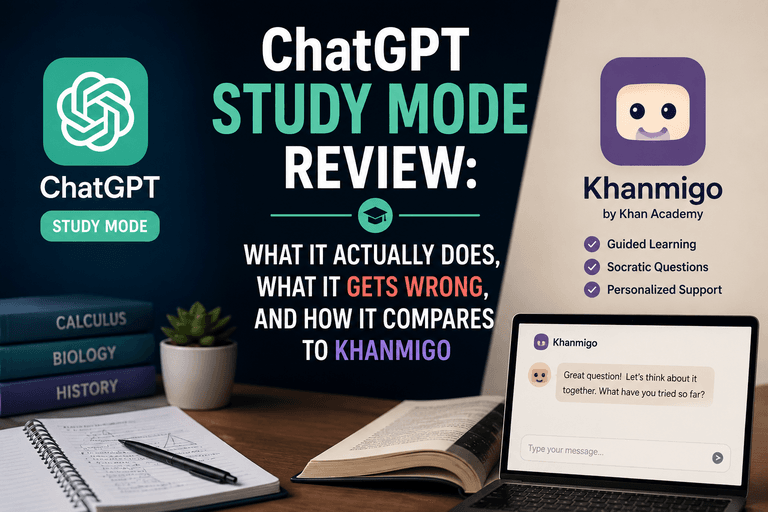
- Khanmigo (by Khan Academy) — Best for: Guided learning. Instead of simply handing over the final answer, this tutor uses a Socratic approach, asking guiding questions to help students master the underlying concepts.
- Microsoft Copilot — Best for: Document-heavy science research. Free for students with an institutional .edu email, it safely references web data and integrates directly into lab report workflows via Microsoft 365.
The IEEE peer-reviewed analysis of AI tools and student academic performance found significant GPA improvements and reduced study hours among students who used AI tools consistently, though the researchers noted the effect was strongest when students used AI for practice and self-testing rather than answer retrieval.
Humanities: Writing, History, and Literature
Writing-focused students have the widest range of mature AI tools available. Grammarly’s AI assistant goes beyond grammar correction, offering tone suggestions, clarity rewrites, and plagiarism detection. ChatGPT (GPT-4o and later versions) and Claude are both strong for essay brainstorming, thesis development, and getting unstuck on a first draft. For research-heavy humanities work, Perplexity AI surfaces cited sources alongside its answers, which helps students verify claims before including them in a paper.
Language learners in particular have access to a strong set of specialized tools. Our guide to the Best AI Language Learning Apps covers Duolingo Max, Speak, and other platforms that use conversational AI to simulate real-world dialogue practice.
Business, Economics, and Pre-Law
Students in business programs benefit from AI tools that can handle data interpretation, case analysis, and structured argumentation. Notion AI integrates directly into note-taking workflows, allowing students to summarize lecture notes, generate study guides, and draft case study outlines within a single workspace. For pre-law students, tools like Casetext’s CoCounsel (though designed for professionals) offer a preview of how AI is reshaping legal research, and understanding these platforms now may be professionally valuable later.
Best AI Note Taking Apps for Students
AI note-taking apps now go beyond transcription, offering automatic summaries, action item extraction, and searchable archives that can reduce review time before exams.
Top Picks for Lecture Capture and Review
Otter.ai remains a leading option for live lecture transcription, offering a free tier with 300 minutes of transcription per month. Notion AI, mentioned above, is well suited for organizing and summarizing notes after the fact. For students who prefer a more structured academic tool, Quizlet’s AI-powered Q-Chat generates flashcards and practice quizzes directly from uploaded notes or textbook excerpts, making it one of the most practical free AI tools for college students in active use today.
“According to the Stanford SCALE Initiative’s 2026 review of AI in K-12 education, which analyzed over 800 academic papers and identified 20 high-quality causal studies, the strongest evidence for AI’s positive impact on student outcomes involves tools used for formative assessment and personalized practice rather than passive content delivery.”

Free AI Tools for College Students: What Is Actually Free?
Several high-quality AI study tools offer genuinely free tiers, though usage limits, feature restrictions, and institutional access vary. Students should verify current pricing directly with each provider.
The table below compares widely used AI study tools across key dimensions. Pricing and features are based on information available as of early 2026 and may change. Always confirm current details with the provider.
| Tool | Best For | Free Tier? | Starting Paid Price | Notable Limitation |
|---|---|---|---|---|
| ChatGPT (OpenAI) | Writing, brainstorming, coding | Yes (GPT-4o with limits) | $20/month (Plus) | Usage caps on free tier during peak hours |
| Microsoft Copilot | Research, Office integration | Yes (free with .edu email) | Included in Microsoft 365 Education | Deepest features tied to M365 subscription |
| Khanmigo (Khan Academy) | STEM tutoring, Socratic guidance | Yes (free for students) | Free for K-12 students in the US | Curriculum-focused; limited for advanced college work |
| Otter.ai | Lecture transcription, note summaries | Yes (300 min/month) | $16.99/month (Pro) | Free tier does not include AI Chat features |
| Perplexity AI | Cited research, fast fact-finding | Yes | $20/month (Pro) | Advanced model access and file uploads require Pro |
| Grammarly | Writing quality, grammar, tone | Yes (basic) | $12/month (Premium, billed annually) | AI rewrites and plagiarism check require Premium |
How to Choose the Right AI Tool for Your Study Needs
The best approach is to start with your most time-consuming academic task and find a tool purpose-built for it, rather than defaulting to one general-purpose chatbot for everything.
Practical Steps for Getting Started
Begin by identifying where you lose the most time each week. If it is reviewing lecture material, a transcription or note-summarization tool may offer the fastest return. If it is staring at a blank page before writing assignments, a brainstorming-focused AI like ChatGPT or Claude may be more valuable. Students in quantitative fields should prioritize tools with verified computational accuracy rather than relying on general-purpose language models for numerical work, leveraging the specialized Reasoning Models (like OpenAI’s o-series or DeepSeek-R1) that have bridged the accuracy gaps documented in the early NIH/PMC study linked above.
Check whether your college or university already provides institutional access. Many US and Canadian institutions now bundle Microsoft Copilot or Google Gemini for Education into student accounts at no additional cost. Before paying for a subscription, log in through your school portal first.
The ACM Computing Surveys systematic review of AI in educational technology identified intelligent tutoring systems and student performance prediction tools as two of the highest-impact AI application categories in education, a useful signal when evaluating which platforms may offer more than surface-level convenience.
Alternative Perspectives
Not all researchers and educators are enthusiastic about AI tool adoption. Some academic integrity scholars argue that heavy reliance on AI writing assistants may erode foundational skills in argumentation and source evaluation, particularly for first-year college students still developing those abilities. Others raise concerns about data privacy, noting that free AI tools may use student inputs to train future models. A growing number of professors in the US and Canada are now requiring AI disclosure statements alongside submitted work, and some institutions have restricted certain tools entirely. Students should review their institution’s academic integrity policy before integrating any AI tool into assessed work, and should treat AI output as a starting point for their own thinking, not a finished product.
Disclaimer: Educational outcomes vary based on individual effort and circumstances. Course availability, pricing, and curriculum are subject to change. Verify current details with the provider.
Frequently Asked Questions
No, there is no universal rule. Policies vary widely by institution and even by individual professors. Many schools have updated their academic integrity policies to address AI use, requiring disclosure or limiting AI to specific tasks like brainstorming. Always check your syllabus and your school’s official policy before using any AI tool for graded work.
Microsoft Copilot is arguably the strongest free option for students with an institutional .edu email, offering access to a capable AI model alongside integration with Word, OneNote, and Teams. Khan Academy’s Khanmigo is free for K-12 students in the US and provides structured, Socratic tutoring for math and science. For general writing and research, the free tiers of ChatGPT and Perplexity AI are widely used.
Yes, and in many cases AI tools show particular strength in humanities tasks. Writing assistants like Grammarly and ChatGPT are well suited for essay structure, thesis development, and argument refinement. Research tools like Perplexity AI can help surface sources for historical topics, though students should always verify those sources independently before citing them.
Research suggests they can, under the right conditions. The IEEE study linked in this article found GPA improvements among consistent AI tool users, but the effect was strongest when students used AI for active practice and self-testing rather than simply retrieving answers. Using AI to quiz yourself, generate practice problems, or get feedback on a draft may produce better academic outcomes than using it to skip the thinking process entirely.