
Student workloads haven’t shrunk, but the tools available to manage them have changed substantially. A growing category of AI tools now covers nearly every part of academic life, from drafting a first paragraph to synthesizing dozens of research papers in minutes. The question isn’t whether AI can help students; it’s which tools are worth the time and which ones create new problems while solving old ones.
This guide focuses on four practical categories: writing assistance, research and literature review, active studying and retention, and lecture note-taking. Each section highlights what specific tools do well, where they fall short, and what students should watch for before making a habit of relying on them. All education articles on WideJournal prioritize verified, source-backed information over hype, and this one is no different.
A peer-reviewed study published in Heliyon via PubMed Central found that students broadly perceive AI as a positive factor in academic performance and mental well-being, though the same research noted meaningful variation based on how students actually used these tools. That nuance matters. Passive dependence on AI outputs produces worse results than active, critical engagement with them. Crucially, while these tools aid the learning process, students bear sole responsibility for how they apply them. Academic integrity software like Turnitin updates continuously; what an instructor flagged as ‘assisted draft’ yesterday could be classified as academic misconduct today.
Key Takeaways
- A randomized controlled trial at Georgetown University School of Medicine found that students using ChatGPT-4.0 for study performed comparably to peers using traditional institutional resources, with no statistically significant difference in exam scores.
- Google’s NotebookLM allows students to upload up to 50 source documents and query them directly, reducing literature review time significantly without requiring a paid subscription.
- Most AI writing tools have documented accuracy problems with citations: studies show AI-generated references are fabricated at rates as high as 40% in some model evaluations, making manual verification non-negotiable.
- Free tiers exist for Notion AI, Grammarly, Otter.ai, and Perplexity, making meaningful AI assistance accessible to students without a budget for subscriptions.
- Institutional academic integrity policies at most US and Canadian universities now specifically address AI tool use; students who skip those policies risk academic misconduct findings regardless of output quality.
Crucial Academic Integrity Notice
Before using any tool listed in this guide, you must verify your specific institution’s and syllabus’s Generative AI policies.
- The Detector Risk: Modern institutional detectors (like Turnitin’s AI innovation suite or GPTZero) frequently update their detection vectors. Even text generated via “brainstorming” or “rewriting” features can trigger false positives or be classified as unauthorized assistance.
- The Policy Gap: Policy varies wildly. A tool permitted in an introductory computer science course might result in an immediate fail grade or academic disciplinary action in a freshman composition class.
- Our Recommendation: Treat all AI tools exclusively as conversational partners or structural guides. Never copy-paste AI-generated text, outlines, or unverified citations directly into work submitted for grading. WideJournal does not guarantee immunity from academic misconduct penalties; the student remains the final author and compliance officer of their academic record.
AI Writing Tools for Students: What Actually Helps?
The most effective AI writing tools help students improve drafts and organize arguments, but they do not replace the critical thinking that grades are actually based on.
Writing assistance sits at the center of the student AI conversation, and for good reason. Tools like Grammarly (free and Premium tiers), ChatGPT (OpenAI, NASDAQ-listed parent), and Microsoft (MSFT) Copilot built into Word and Edge are now used by millions of students in the US and Canada. Each one serves a different stage of the writing process.
Grammarly’s free tier handles grammar, clarity, and tone in real time inside browsers and word processors. Its paid tier adds plagiarism detection and more detailed style suggestions. The practical ceiling is sentence-level improvement; Grammarly does not generate thesis arguments or synthesize sources. That limitation is also a feature: students stay responsible for their own intellectual content.
ChatGPT and Copilot can generate full draft passages, outlines, and counterarguments. The risk is well-documented: these models sometimes fabricate citations, misstate facts with confidence, and produce writing that sounds authoritative but isn’t. According to research published through the Purdue University Libraries AI research guide, students should treat any AI-generated citation as unverified until manually confirmed in a library database. That step is not optional.
Which Writing Tool Fits Which Student?
High school students writing five-paragraph essays benefit most from Grammarly’s grammar layer and minimal AI drafting. Undergraduates in writing-heavy majors get real value from Copilot’s outline and brainstorm features used before drafting, not as a substitute for it. Graduate students should use AI primarily for structural feedback, never for source generation.
AI Research Tools: Faster Literature Reviews, Smarter Source Discovery
AI research tools like Elicit, Scite, and Perplexity can cut early-stage literature review time substantially, but every output requires verification against primary sources.
Research is where AI tools deliver some of their most concrete time savings. The Texas Tech University Libraries AI tools guide catalogs several platforms specifically built for academic research, including Elicit, Litmaps, and PaperQA2. Elicit allows students to enter a research question and receive a ranked list of relevant papers with short AI-generated summaries. Litmaps visualizes citation networks to help students find foundational papers they might otherwise miss.
Google’s NotebookLM (developed by Google, Alphabet/GOOGL) takes a different approach: students upload their own source documents (PDFs, notes, slides) and ask the model questions directly against that corpus. Because the model only draws from uploaded materials, hallucination risk drops significantly compared to open-ended prompting. NotebookLM supports up to 50 documents per notebook and is free as of early 2026.
For AI-powered academic search, see also Google AI Search Agents Explained for a detailed breakdown of how AI search agents handle citation and sourcing in academic contexts.
While Perplexity AI pioneered real-time inline citations, the 2026 research landscape is defined by platform-native search agents. Tools like OpenAI Search (integrated directly into ChatGPT) and Gemini’s Deep Research agents allow students to run multi-step academic queries, bypass traditional search engine clutter, and synthesize peer-reviewed papers into structured summaries automatically.
For long-term projects, undergraduates and graduate students increasingly rely on Claude Projects (Anthropic), which serves as a secure, sandboxed environment to upload syllabi, codebases, and literature matrices without risking data leakage.
Regardless of whether you use Perplexity’s Academic Mode or Gemini’s agentic search, validation remains critical. The Oklahoma State University Libraries AI guide specifically addresses these next-generation privacy considerations, urging students to evaluate how these platforms handle data retention before entering proprietary research or sensitive academic drafts into them.
AI Study Tools: Do They Actually Improve Retention?
Active recall and spaced repetition remain the most evidence-backed study methods, and AI tools that support these approaches outperform passive summarization tools for long-term retention.
The evidence base for AI as a study partner is growing. A randomized controlled trial from Georgetown University School of Medicine, published via NIH/PubMed, tested ChatGPT-4.0 directly against traditional study resources for medical students. Results showed no statistically significant difference in performance between the two groups, which is meaningful: AI-assisted study held up against well-resourced institutional tools in a high-stakes professional context.
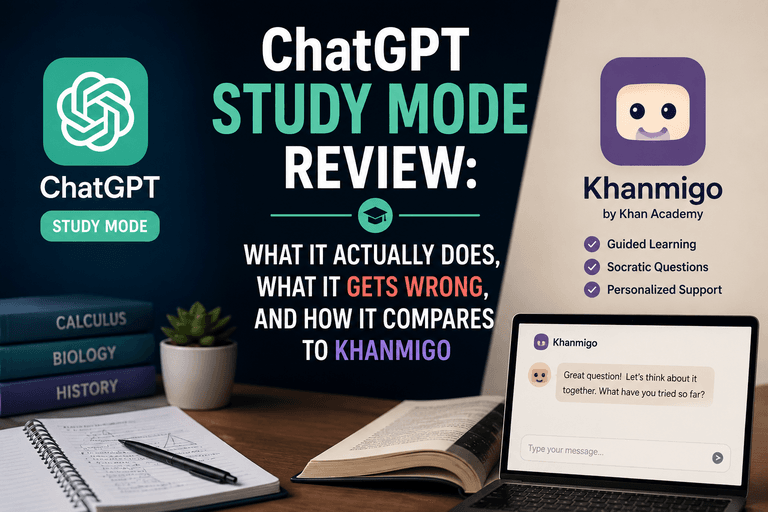
Khanmigo, the AI tutor built into Khan Academy, uses Socratic questioning rather than answer delivery. Students studying for the SAT, AP exams, or foundational college courses report it as one of the more honest tools available because it refuses to just give answers. Quizlet’s AI layer generates practice questions from uploaded notes automatically, aligning with spaced repetition principles.
“Students who used AI tools in an active, questioning mode, rather than passively copying AI outputs, showed stronger learning outcomes in both short-term quiz performance and delayed retention testing.” (Heliyon, PubMed Central, PMC11043955)
AI Note-Taking for Students: Lecture Capture and Summarization
AI note-taking tools like Otter.ai and Notion AI transcribe and summarize lectures in real time, but accuracy drops with technical vocabulary, accented speech, and fast-paced delivery.
Lecture note-taking is one of the clearest use cases for AI assistance. Otter.ai (free tier: 300 minutes/month) transcribes audio in real time, identifies speakers, and generates summaries. Notion AI integrates note summarization directly into the workspace where most students already organize their materials. Both tools save time on transcription but require review: technical terms, proper nouns, and discipline-specific vocabulary are frequent error points.
For students who attend seminars, study groups, or remote office hours, the tools covered in the Best AI Meeting Assistant guide translate directly to academic settings and offer more robust transcription and summary features than entry-level note apps.
“AI note-taking tools perform best when students treat transcripts as a starting draft rather than a finished record. Reviewing and annotating the transcript within 24 hours substantially improves accuracy and retention.” (Oklahoma State University Libraries, AI Tools for Academic Research)
| Tool | Primary Use | Free Tier? | Key Limitation | Best For |
|---|---|---|---|---|
| Grammarly | Writing feedback | Yes | No source generation; surface-level only on free | Editing drafts, grammar checks |
| NotebookLM (Google/GOOGL) | Source-based research Q&A | Yes | Limited to uploaded documents; no live web search | Literature review, studying uploaded readings |
| Elicit | Academic paper discovery | Yes (limited) | Summaries can miss nuance; verify all citations | Early-stage literature review |
| Khanmigo (Khan Academy) | Tutoring and test prep | Yes | Primarily covers K-12 and intro college subjects | SAT/AP prep, foundational courses |
| Otter.ai | Lecture transcription | Yes (300 min/mo) | Errors on technical vocab and accents | Lecture capture, study groups |
| Perplexity AI | AI-powered cited search | Yes | Source quality varies; academic mode helps | Quick research with citation transparency |
Alternative Perspectives
Not everyone in higher education views AI tool adoption as straightforwardly positive. Some faculty argue that AI writing assistance, even when used ethically, reduces the productive struggle that builds real writing skill. Research published in education journals suggests that students who rely heavily on AI for drafting show slower improvement in unassisted writing tasks over a semester compared to peers who draft independently first and use AI for revision only.
There is also a meaningful equity dimension. Students at well-resourced universities get institutional access to premium AI tools, while community college students and those at under-resourced institutions may rely on inconsistent free tiers or have no guidance on evaluating tool quality. The gap in AI tool literacy may widen existing academic outcome gaps rather than narrow them, a concern raised by several library science researchers in 2024 and 2025 publications.
Disclaimer: Educational outcomes vary based on individual effort and circumstances. Course availability, pricing, and curriculum are subject to change. Verify current details with the provider.
Frequently Asked Questions
Free tiers from Grammarly, NotebookLM, Otter.ai, and Perplexity cover the most common student use cases without requiring payment. Paid tiers add value for heavy users, but most undergraduates can handle writing, research, and note-taking entirely within free limits. Check whether your university provides institutional access before paying for any individual subscription.
Yes, depending on the institution and course. Most US and Canadian universities updated their academic integrity policies between 2023 and 2025 to address generative AI specifically. Some courses prohibit it entirely; others permit specific uses like grammar checking or brainstorming. Students should review the syllabus and ask instructors directly before using any AI tool on graded work.
For literature discovery, Elicit and Litmaps help identify relevant papers quickly. For working with sources you already have, NotebookLM is highly effective because it limits responses to your uploaded documents, reducing fabrication risk. For citation management and fact-checking, no AI tool currently replaces manual verification through databases like PubMed, JSTOR, or your institution’s library catalog.
The evidence is mixed but cautiously optimistic. A randomized controlled trial at Georgetown University School of Medicine found AI-assisted study performed on par with traditional institutional resources. Broader research suggests that how students use AI matters more than which tool they choose: active, questioning use of AI improves outcomes, while passive copying of AI responses does not. Spaced repetition tools with AI-generated quizzes show consistent benefits for retention.