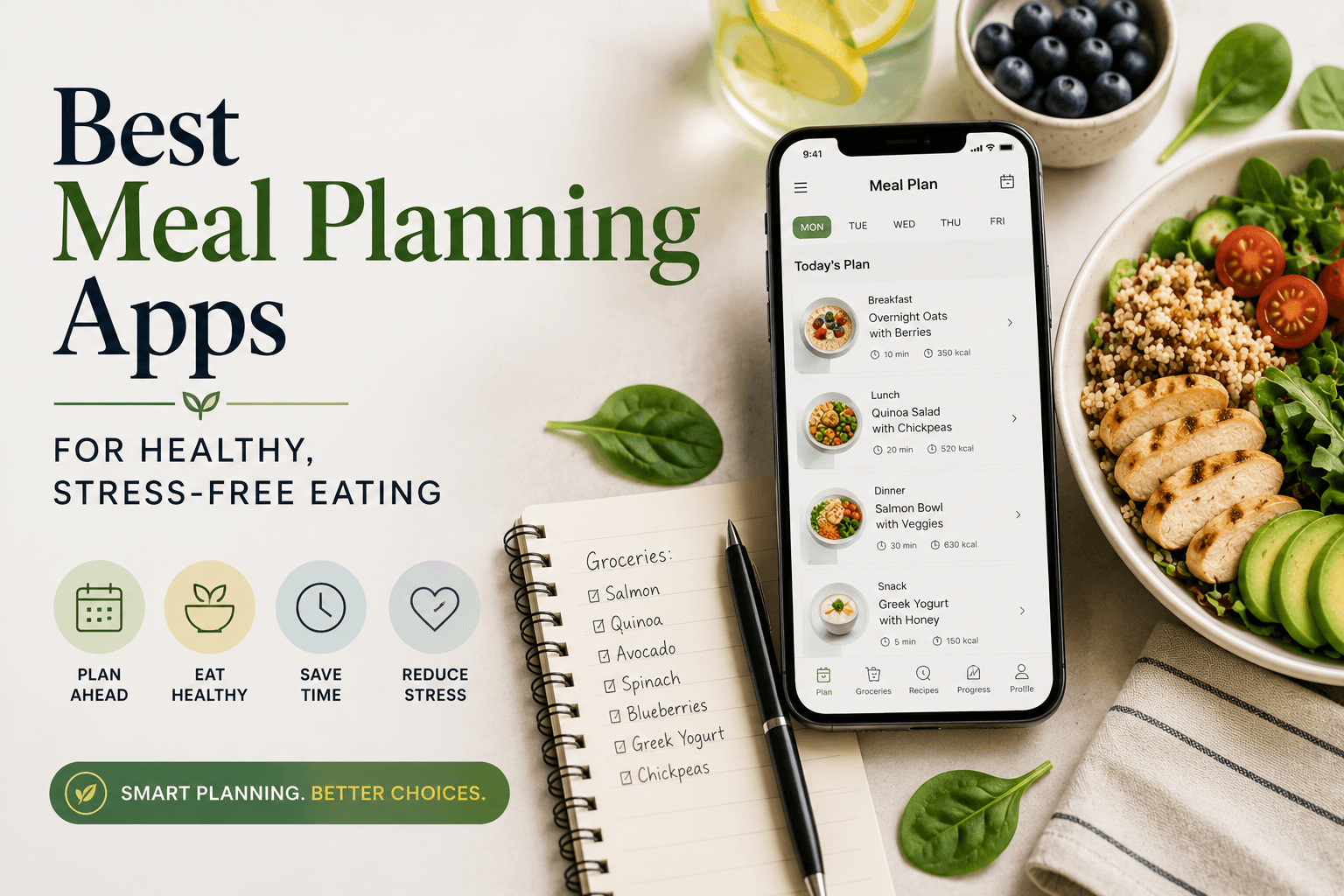
The best meal planning apps for health-conscious eaters include Mealime, Plan to Eat, and Yummly, each offering structured weekly planning, nutritious recipe libraries, and automatic grocery list generation. Most of these tools are free to start, with premium upgrades ranging from $3 to $10 per month for advanced features like macro tracking and custom dietary filters.
Key Takeaways
- Mealime, Plan to Eat, Yummly, AnyList, and Paprika are consistently rated among the top meal planning apps across independent reviews, each serving a distinct type of home cook.
- Free meal planning apps like Mealime and Yummly offer solid core features at no cost, but calorie tracking, advanced dietary filters, and family sharing typically require a paid plan averaging $5 to $8 per month.
- Research from the Academy of Nutrition and Dietetics suggests that people who plan meals in advance are more likely to eat a nutritious diet and less likely to rely on fast food or convenience meals.
- Grocery list automation is the single most-used feature across meal planning apps, cited by users as the primary reason they keep using an app past the first week.
- No single app fits every household: families benefit most from AnyList’s sharing tools, beginners find Paprika’s interface easiest to navigate, and solo cooks with dietary restrictions get the most from Yummly’s personalized filtering.
Why Use a Meal Planning App?
A good meal planning app turns a weekly chore into a 10-minute routine, consolidating recipe discovery, nutritional awareness, and grocery prep into one place.
Planning meals ahead of time is one of the more practical habits you can build around healthy eating. The challenge has always been the friction: finding recipes that match your dietary needs, scaling ingredients for the right number of servings, and then rebuilding a grocery list from scratch every week. Meal planning apps remove most of that friction. For anyone exploring healthy eating tips and guides or looking to build more consistent nutrition habits, an app provides structure that a handwritten list simply cannot. You get recipe libraries filtered by diet type (keto, Mediterranean, gluten-free, high-protein), integrated macronutrient data, and grocery lists that populate automatically based on what you’ve scheduled for the week. The practical payoff is real. Households that plan meals in advance tend to spend less on food overall, waste fewer ingredients, and report lower weekday stress around the “what’s for dinner” decision. These apps have also gotten meaningfully better over the last few years: the recipe databases are larger, the interfaces are cleaner, and the free tiers are more functional than they used to be. If you want to explore more tools and ideas across this category, WideJournal’s Food articles cover everything from meal prep strategies to ingredient deep-dives.
What to Look for in a Meal Planning App?
The most useful meal planning apps combine an easy-to-navigate calendar interface with smart grocery list generation and a recipe library large enough to prevent repetition.
Not every app is worth your time, and the feature list on a product page rarely tells you what it’s actually like to use something on a Tuesday night when you’re tired. Here are the factors that genuinely matter:
Recipe Library Size and Quality
A recipe library should have enough variety to keep your weekly rotation fresh for at least a month without repeating. Yummly pulls from over two million recipes across the web; Mealime uses a curated database of around 600 dietitian-reviewed options. Neither approach is objectively better. Larger libraries offer more discovery; curated libraries tend to deliver more reliably healthy results with fewer ingredient rabbit holes.
Dietary Filtering
If you follow any specific eating pattern, a strong filtering system is non-negotiable. Look for apps that let you set persistent dietary preferences (not just one-time recipe tags) so that every suggestion you see already respects your restrictions. Yummly and Mealime both do this well. Paprika does not filter proactively but lets you organize your own recipe collection meticulously.
Grocery List Integration
Automatic grocery list generation is the feature most users say they rely on most. The best implementations consolidate duplicate ingredients across multiple recipes, allow you to adjust quantities, and let you check items off in-store. Plan to Eat’s grocery list tool is widely considered the most polished in this category.
Ease of Use for Beginners
Paprika is consistently recommended for people who feel overwhelmed by overly complex apps. Its drag-and-drop calendar and recipe clipper (which imports recipes from any website) require almost no learning curve. For families or anyone cooking for multiple people, AnyList adds collaborative list-sharing so everyone in the household can contribute or check off items in real time.
AI Integration and Waste Reduction (Pantry-Tracking)
In 2026, the baseline for a premium meal planner is moving toward generative AI and “pantry-aware” tracking. Instead of forcing you to buy a completely fresh set of ingredients for every single meal, modern apps are increasingly integrating AI assistants that generate recipes on the fly based on what is already sitting in your fridge. You can snapshot your shelves or type in a quick list of wilting vegetables, and the built-in LLM will adjust your weekly schedule to minimize food waste. While classic market leaders like Mealime still rely heavily on fixed, dietitian-vetted databases, looking for native AI integration is highly recommended if your primary goals are maximum flexibility and budget optimization.
Free vs. Paid Features
Free tiers on most apps remain functional enough to test whether a tool fits your lifestyle. Where paywalls typically appear are detailed macronutrient breakdowns, ad-free browsing, unlimited third-party recipe imports, and real-time family sharing. The average cost of a premium subscription sits between $3 and $10 per month, or $20 to $40 annually. For most home cooks, the free tier is the most logical starting point for the first four to six weeks, allowing you to establish the baseline routine before deciding whether to unlock the premium upgrades.
The Best Meal Planning Apps, Reviewed
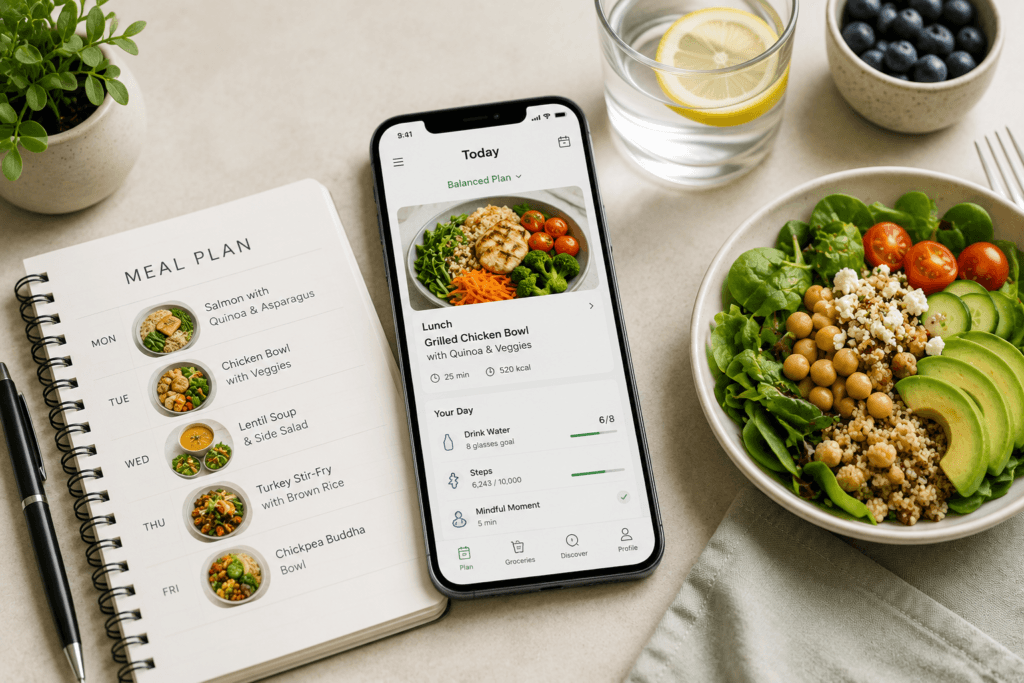
These five apps represent the strongest options across different household types, dietary goals, and budgets, based on feature sets, user reviews, and long-term usability.
Mealime: Best Overall for Health-Focused Home Cooks
Mealime is purpose-built for people who want to eat healthier without spending an hour planning each week. Its recipe library skews toward whole-food, lower-calorie meals, and every suggestion is filtered through the dietary preferences you set at signup (options include paleo, vegetarian, low-carb, and several others). The weekly planner is clean and fast: pick your meals, confirm your servings, and a consolidated grocery list populates automatically. The free tier covers most core functions; the Pro plan ($5.99/month or $29.99/year) adds detailed macros, larger serving options, and an expanded recipe library.
Plan to Eat: Best Grocery List Tool
Plan to Eat works differently from most apps because it doesn’t supply its own recipe library. Instead, you import recipes from any website using its browser clipper, organize them into a personal cookbook, and then drag them onto a weekly calendar. The grocery list it generates from that calendar is the most customizable in this category: sortable by store aisle, adjustable by quantity, and shareable with family members. It costs $4.95/month or $39/year after a free 30-day trial. There is no permanently free tier, which is its main limitation for budget-conscious users.
Yummly: Best for Dietary Restrictions
Yummly’s recommendation engine is its biggest differentiator. After you input your dietary restrictions and taste preferences, it surfaces personalized recipe suggestions from a database of over two million options aggregated from across the web. The filtering is granular: you can exclude specific allergens, set calorie ranges, and specify cuisine types simultaneously. It integrates with Instacart for grocery delivery, which is a useful add-on if you shop online. The free version is solid; Yummly Pro ($4.99/month) adds guided recipe videos and more detailed nutritional data.
Paprika: Best for Beginners and Recipe Collectors
Paprika is a one-time purchase ($4.99 on iOS and Android, $29.99 on desktop) rather than a subscription, which immediately makes it appealing for anyone reluctant to add another monthly cost. Its recipe clipper is among the best available: paste any URL and it imports ingredients, instructions, and images cleanly. The drag-and-drop meal planner is simple and satisfying to use. It doesn’t push recipe suggestions or proactive dietary filtering, so it works best for people who already know what they like and want a more organized way to save and plan around their own recipes.
AnyList: Best for Families
AnyList centers on shared grocery lists and meal planning for households where more than one person shops or cooks. Lists update in real time across devices, making it easy for one person to add items while another is already at the store. Its recipe library is smaller than Mealime’s or Yummly’s, but the family-sharing features are more refined than any competitor in this category. A free version handles basic lists; AnyList Complete ($2.99/month or $11.99/year) adds the meal planner, recipe storage, and real-time syncing.
Quick Comparison: Best Meal Planning Apps at a Glance
This table summarizes the five top-rated meal planning apps by their strongest use case, pricing, and key features to help you identify the right fit quickly.
| App | Best For | Free Tier? | Premium Price | Grocery List | Dietary Filters | Family Sharing |
|---|---|---|---|---|---|---|
| Mealime | Health-focused home cooks | Yes | $5.99/month or $29.99/year | Auto-generated | Strong (built-in) | Limited |
| Plan to Eat | Grocery list power users | 30-day trial only | $4.95/month or $39/year | Highly customizable | Manual (your recipes) | Yes |
| Yummly | Dietary restrictions | Yes | $4.99/month | Auto + Instacart | Very strong (granular) | Limited |
| Paprika | Beginners and recipe collectors | One-time purchase | $4.99 (iOS/Android), $29.99 (desktop) | Auto-generated | Manual | No |
| AnyList | Families and shared households | Yes (basic) | $2.99/month or $11.99/year | Real-time shared | Limited | Yes (core feature) |
How to Choose the Right Meal Planning App for Your Lifestyle
With so many options available, narrowing down the best meal planning app for your needs comes down to a few honest questions about how you actually cook and shop. The most feature-rich app is rarely the most useful one. The right fit depends on your household size, cooking confidence, dietary priorities, and how much friction you’re willing to tolerate at the start.
If you’re cooking for one or two people and want to lose weight or manage a chronic condition, an app with strong nutritional tracking like Cronometer or MyFitnessPal’s meal planner will serve you better than one focused on family-scale recipe organization. Calorie counts, macronutrient breakdowns, and micronutrient visibility matter here. The Academy of Nutrition and Dietetics consistently notes that people who track nutritional intake alongside meal planning see more consistent results than those who plan meals without any nutritional visibility.
Families managing multiple dietary preferences, a picky child, a partner avoiding gluten, a parent watching sodium benefit most from apps that handle per-person customization and shared grocery lists. AnyList and Mealime handle this well, while apps built around individual tracking can feel clunky when scaled to a household. Think about who else is eating before committing to a subscription.
Your grocery shopping habits matter just as much as your cooking habits. If you rely on grocery delivery through Instacart or Walmart Grocery, apps with native integrations Whisk, PlateJoy, and Eat This Much among them eliminate the manual step of transferring your list between platforms. For people who shop in person and enjoy browsing the store, a clean, shareable list with aisle groupings is the more useful feature. Paprika and AnyList both handle in-store shopping better than most.
Budget is the final honest filter. Several strong apps offer free tiers that are genuinely usable, not just stripped-down previews. Mealime’s free version covers the basics for most casual planners. Paid tiers tend to pay off for people who cook at least four nights a week and want automated nutrition analysis or advanced customization. If you’re unsure, use the free tier for a full month before upgrading app pricing varies enough that committing without testing is rarely worth it.
Getting the Most Out of Any Meal Planning App
Downloading an app is the easy part. The gap between installing a meal planner and actually using it to change your weekly routine is where most people get stuck. A few practical habits close that gap faster than any premium feature will.
Set your planning session at a consistent time. Sunday afternoon works for most households because it sits close enough to the start of the week to feel relevant, but far enough from Monday morning to allow a grocery run. Blocking even twenty minutes at the same time each week turns meal planning from an intention into a routine. Apps with calendar integration including PlateJoy and Mealime can send reminders that anchor this habit more reliably than willpower alone.
Start with fewer meals than you think you need. New users frequently plan seven dinners for seven nights, then abandon the system by Wednesday because life is interrupted. Planning three to four dinners and leaving flex nights for leftovers or easy meals reduces the psychological pressure that causes people to give up. Most apps let you plan partial weeks, and using that flexibility deliberately is smarter than optimizing for theoretical completeness.
Use the grocery list feature as your primary organizational tool, even before you rely on the recipe database. If an app’s shopping list is fast and accurate, you’ll open it weekly. If it’s slow, mis-categorized, or requires too many manual corrections, you’ll revert to a notes app within two weeks. Test the grocery list feature first, before committing to any app’s recipe ecosystem.
Rotate a small core of familiar recipes alongside new discoveries. Novelty is motivating at first but cognitively expensive when you’re tired on a Thursday night. Apps like Paprika make it easy to tag and re-use favorite recipes. Building a personal rotation of eight to twelve reliable meals that you plan repeatedly reduces decision fatigue and keeps grocery lists predictable which in turn makes the whole system faster over time.
Finally, sync the app with whoever shares your kitchen. A meal plan that lives only on your phone and not your partner’s creates friction every time someone else needs to cook or shop. Apps with household sharing or collaborative lists AnyList is the strongest here remove the “did you check the app?” conversation entirely.
Which Meal Planning Apps You’ll Actually Stick With Long-Term
Nearly every review of meal planning apps evaluates features as they appear on install day: recipe count, filter options, grocery list quality, price. What those reviews don’t address is the more important question: which apps do people still open three months later, and why do the majority stop using them well before that?
The abandonment rate for health and wellness apps broadly is high. Research published through the National Institutes of Health has found that most users disengage from diet and nutrition apps within the first two to four weeks, with habit formation not feature quality being the primary predictor of retention. This means that the “best” meal planning app by feature comparison is often not the one that actually changes anyone’s behavior.
The apps people stick with share a few structural traits that have little to do with recipe databases or nutritional algorithms. First, they minimize the number of steps between opening the app and completing a useful action. Mealime, for example, is designed so that a new weekly plan can be generated in under two minutes. That low friction matters enormously when someone is deciding whether to plan meals or just order takeout. Apps that require significant setup, preference calibration, or account configuration before delivering value lose users before the first week ends.
Second, long-term users tend to engage with apps that evolve with their existing habits rather than demanding new ones. Paprika succeeds with recipe collectors not because it’s technologically advanced, but because it fits neatly into the way those users already browse cooking websites. AnyList retains families because it replaces the shared notes app they were already using, rather than asking them to adopt an entirely new behavior. Displacement of an existing habit is far easier than creation of a new one.
Third, the apps with the best long-term retention tend to offer a visible, immediate payoff in the first session. A grocery list that saves fifteen minutes at the store is a concrete win. A calorie estimate that requires logging every ingredient manually is work. The ratio of effort to perceived reward in the first few uses sets the expectation that determines whether someone returns. This is why apps with smart grocery list generation which removes manual data entry consistently outperform more nutritionally detailed apps in retention, even among health-conscious users who theoretically want that detail.
The most common reason people abandon meal planning apps is not that the apps lack features. It’s that the apps surface complexity before they surface value. Users who download an app to simplify dinner decisions and are immediately met with a macro-tracking onboarding flow, a request to sync a fitness wearable, and a paywall before they can save their first recipe will leave. The apps that survive in daily use are the ones that solve the immediate problem — what am I eating this week before trying to solve larger wellness goals.
For readers choosing between options: prioritize the app that feels effortless in the first five minutes over the one that promises the most at full utilization. You can always migrate to a more sophisticated platform once the habit is established. Optimizing for features you haven’t built the routine to use yet is one of the most consistent patterns behind abandoned subscriptions.
“Dietary self-monitoring is one of the most consistently supported behavioral strategies in nutrition and weight-management research. However, maintaining long-term engagement with food-tracking tools remains a major challenge, as adherence often declines over time. Research on digital dietary monitoring suggests that reducing tracking burden through simplified interfaces, easier logging methods, and supportive feedback systems may improve consistency of use and reduce disengagement.”
“Meal planning has been associated with healthier dietary patterns, greater food variety, and improved overall diet quality. In a large population study, adults who regularly planned meals tended to have higher diet quality scores and greater food variety compared with those who did not plan meals. Researchers suggest that planning may help reduce reliance on less structured food choices by creating a framework for healthier eating behaviors.”
The best meal planning app is ultimately the one you open every week without thinking about it. That standard sounds simple, but it eliminates most of the field. Whether that turns out to be Mealime for its speed, Paprika for its recipe organization, PlateJoy for its personalization depth, or AnyList for its household simplicity, the goal is the same: lower the weekly effort of eating well until it stops feeling like effort at all. Start with whatever matches your current habits most closely, use it consistently for a full month, and only upgrade your toolset once the baseline routine is solid.
Frequently Asked Questions
What is the best free meal planning app for beginners?
Mealime is widely considered the strongest free option for beginners. Its free tier generates weekly meal plans, handles dietary restrictions, and produces a clean grocery list with minimal setup. The interface is intentionally simple, which matters for anyone who hasn’t used a meal planner before. For those who want more nutritional detail without paying, Cronometer’s free tier offers unusually thorough micronutrient tracking, though it requires more manual input.
Are meal planning apps worth the subscription cost?
For people who cook four or more nights per week, paid tiers typically pay off both in time saved and in reduced food waste from better grocery planning. A $10 monthly subscription is offset quickly if it prevents two or three impulse takeout orders or eliminates over-buying at the grocery store. For casual or occasional cooks, free tiers from Mealime or AnyList cover most needs without a recurring cost.
Which meal planning app works best for families with multiple dietary restrictions?
AnyList and Mealime both handle family-scale planning well, but for households with genuinely complex restrictions combining gluten-free, nut allergies, and vegetarian preferences simultaneously, for example PlateJoy offers the most granular per-person customization. It was built specifically around household dietary diversity rather than individual tracking, which makes the filtering feel less like a workaround and more like a core feature.
Can meal planning apps help with weight loss?
Apps that include calorie and macronutrient tracking alongside meal planning such as PlateJoy, Cronometer, and Eat This Much can support weight loss goals by making the nutritional content of planned meals visible before you cook or shop. The planning component helps reduce unplanned high-calorie meals, while the tracking component creates the awareness that behavioral research consistently links to better dietary choices. That said, any app is a tool rather than a program; outcomes depend on how consistently the tool is used.