The knowledge worker’s greatest competitive advantage has always been the ability to think deeply, but that ability is under more pressure than ever. Across American offices and home desks alike, the workday has been quietly fractured: AI assistants ping for review, Slack threads multiply, and the line between delegating to automation and losing cognitive grip on your own work has never been thinner. For the professionals who want to stay ahead, mastering deep work time blocking in 2026 is not a soft skill upgrade. It is a survival strategy. Check out more Productivity articles and Business articles on WideJournal for related frameworks. Research consistently shows that the ability to sustain focused, high-quality cognitive output is among the most in-demand skills for 2026, separating high-output knowledge workers from everyone else.
Key Takeaways
- Deep work is becoming harder to sustain in 2026 as AI tools, notifications, and constant task switching fragment the modern workday.
- Research suggests that interruptions during high-focus cognitive tasks create significantly higher mental workload and longer recovery times.
- Effective time blocking separates deep work, AI collaboration, communication, and administrative tasks into dedicated calendar windows.
- Most knowledge workers require at least 60 to 90 minutes of uninterrupted focus to reach meaningful cognitive depth and high-quality output.
- Leaving AI assistants constantly open during focus sessions can subtly shift workers from creation mode into review and oversight mode.
- Team-level focus norms, including visible deep work blocks and no-meeting windows, are often more effective than individual productivity hacks alone.
- AI tools can improve productivity when used intentionally, but poorly structured AI workflows may increase cognitive switching costs rather than reduce them.
Why Deep Work Is Harder to Protect Than Ever
The modern AI-augmented workday adds layers of cognitive switching costs that traditional distraction management never anticipated. Understanding why focus erodes is the first step toward protecting it.
Remote and hybrid work has expanded dramatically. According to the U.S. Bureau of Labor Statistics (March 2025), 35.5 million Americans, roughly 22.9% of all workers, teleworked in Q1 2024. Among management and professional occupations, that figure rose to 37.9%. This is the exact population most dependent on sustained, undistracted cognitive effort to produce their best work.
But remote work alone is not the culprit. The real disruption is structural. AI tools that were supposed to reduce cognitive load have, in many cases, added a new category of it. Every generative AI output requires human review, calibration, and judgment. Every autonomous agent action needs verification. The result is a workday filled not with deep creation but with shallow oversight, a cognitive mode that feels productive but rarely produces the kind of high-value output that defines a career.
The Cognitive Cost of Constant Switching
The neuroscience here is clear and measurable. A 2024 peer-reviewed study published in Ergonomics found that switching between perceptual and cognitive task types generates measurably higher mental workload, using multimodal physiological measurements to confirm what many workers already feel but struggle to name. Every time you toggle from writing a strategy memo to reviewing an AI-drafted email, your brain pays a switching tax.
A separate study reinforces the timing dimension of this problem. Research from RWTH Aachen University published in Frontiers in Psychology (January 2025) found that task interruptions occurring during high mental workload moments are significantly more harmful than those at low-workload moments, producing greater resumption costs and longer recovery times. In plain terms: getting interrupted during your most important thinking is disproportionately expensive, not just inconvenient.
What Is Time Blocking and How Does It Address This?
Time blocking is a scheduling method that assigns specific tasks or task categories to fixed calendar windows, creating structural protection for deep work by eliminating real-time task selection and reducing decision fatigue.
Time blocking is not a new concept, but its application has evolved significantly in the context of AI-saturated workflows. At its core, a time blocking schedule for productivity involves treating your calendar not as a record of meetings but as an intentional design of how your cognitive resources are deployed across the day. The principle is straightforward: if focused work is not scheduled, it will be colonized by everything else.
The Four Core Time Block Categories
Effective time blocking in 2026 typically organizes the workday into four functional zones rather than a single undifferentiated “focus time” block:
Deep Work Blocks are 90-minute to 3-hour windows reserved exclusively for cognitively demanding, high-value creation: writing, analysis, strategy, code, research. These are protected with full notification silence and no AI tool monitoring.
AI Collaboration Blocks are dedicated periods (typically 30-60 minutes) where you actively engage with generative AI tools, review outputs, and course-correct. Separating this from deep work prevents the “just checking this AI draft” interruption from bleeding into creation time.
Communication Blocks consolidate email, Slack, and asynchronous messages into two or three defined windows per day rather than allowing continuous ambient monitoring.
Administrative Blocks cover scheduling, logistics, light review, and reactive tasks that require attention but not deep concentration.
How to Do Deep Work at Work: A Practical 2026 Framework
Building a repeatable deep work practice requires both scheduling discipline and environmental design. The following steps give knowledge workers a concrete, evidence-aligned system for protecting focus in a fragmented workday.
Step 1: Audit Your Cognitive Peak Hours
Individual chronobiology matters. Research in cognitive performance consistently shows that most adults experience their highest alertness and executive function in the late morning, roughly between 9 a.m. and noon, though this varies meaningfully between chronotypes. Before designing a time blocking schedule, track your own output quality across different time windows for one to two weeks. Schedule your deepest work during the windows where your output is demonstrably best, not during times that are simply conventionally available.
Step 2: Set a Minimum Deep Work Threshold
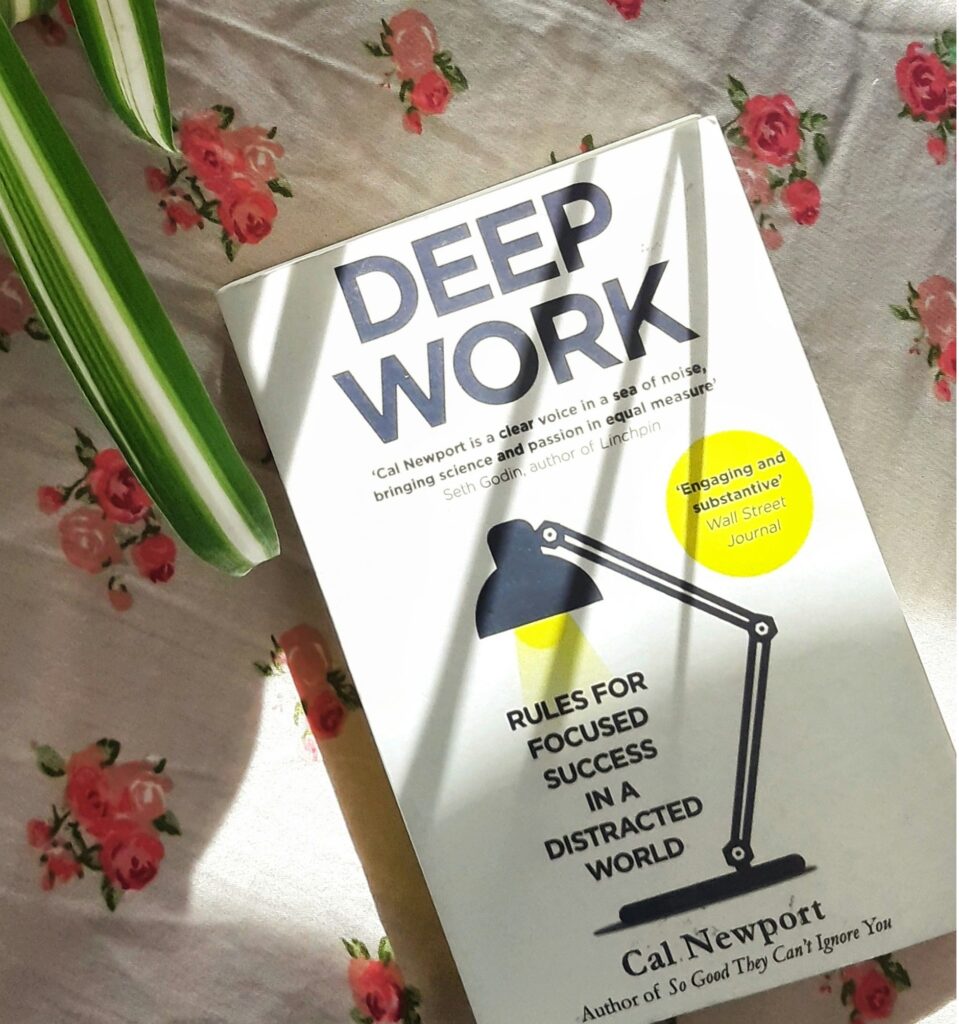
Cal Newport’s framework, which popularized the term “deep work,” suggests that meaningful output requires at least 90 minutes of uninterrupted time. Research on flow states from Mihaly Csikszentmihalyi’s work supports a similar threshold. In practice, most knowledge workers find that blocks shorter than 60 minutes rarely produce the concentration depth needed for their most demanding tasks. Set a personal minimum and treat it as a non-negotiable commitment in your calendar, visible to your team.
Step 3: Architect Your AI Boundaries
This is the step most workers skip in 2026, and it is arguably the most important. A CHI 2025 study surveying 319 knowledge workers on generative AI’s impact on critical thinking found self-reported reductions in cognitive effort and a confirmed shift from task execution toward oversight and verification roles. The concern is not that AI makes workers lazy; it is that ambient AI availability subtly shifts cognitive mode from creation to review without workers consciously choosing that shift.
The practical fix is environmental: during deep work blocks, close AI assistant interfaces entirely rather than leaving them available in a background tab. The mere availability of an easy shortcut is enough to interrupt the formation of sustained thought.
Step 4: Communicate Your Schedule as a Team Norm
Individual time blocking is fragile without team alignment. Companies including Asana, GitLab, and Dropbox have publicly documented policies establishing “no-meeting” blocks or “focus Fridays” as organizational defaults rather than individual workarounds. If your team has not formalized this, proposing a shared calendar convention, where deep work blocks are visible and respected, is more effective than trying to protect time unilaterally against a culture of constant availability.
Does Time Blocking Actually Improve Productivity? What the Research Shows
The evidence on time blocking’s effectiveness is genuinely mixed at the organizational level, though individual-level cognitive research strongly supports the principles behind it.
“According to the U.S. Bureau of Labor Statistics (Beyond the Numbers, October 2024), research across 61 private-sector industries found a positive association between the rise in remote work and total factor productivity growth, while noting that individual-level productivity outcomes are more nuanced and context-dependent.”
This nuance matters for setting realistic expectations. The BLS research makes clear that aggregate productivity can rise even when individual experience is mixed, which means population-level data on remote work productivity should not be interpreted as a guarantee that any particular worker or team will see gains from schedule restructuring alone.
“According to the authors of the RWTH Aachen University study (Frontiers in Psychology, 2025), the timing of interruptions matters as much as their frequency, with interruptions at high cognitive load moments producing disproportionate costs to task resumption and overall performance.”
The implication for time blocking is precise: protecting the first 90 minutes of a deep work block matters more than protecting the last 30. Design your notification rules and team communication expectations around the entry into a deep work state, not just its existence.
Comparing Time Blocking Approaches for Knowledge Workers
| Approach | Block Structure | Best For | AI Integration Point | Key Limitation |
|---|---|---|---|---|
| Classic Time Blocking | Fixed 90-min deep work slots, AM | Writers, analysts, solo contributors | Separate afternoon AI review block | Inflexible for meeting-heavy roles |
| Task Batching | Group similar tasks into theme days | Managers with varied responsibilities | AI drafting batched by task type | Requires predictable task flow |
| Polyphasic Focus Blocks | Multiple 50-min blocks with hard breaks | Developers, researchers, UX designers | AI tools active only during breaks | Shorter blocks may limit depth |
| Time Boxing | Fixed time limits per task regardless of completion | Project managers, consultants | AI output review built into task box | Quality pressure may reduce depth |
| Maker/Manager Split | Full AM or PM for creation; other half for coordination | Senior individual contributors, leads | AI collaboration in manager half only | Requires strong organizational buy-in |
Is AI Actually Making Deep Work More Difficult?
Generative AI tools present a genuine paradox: they can reduce time on routine tasks while simultaneously increasing the cognitive switching load and oversight burden on knowledge workers.
The concern is worth taking seriously. As agentic AI is transforming how businesses work, the practical result for many knowledge workers is not a lighter cognitive load but a different one: less drafting, more reviewing; less execution, more directing. This oversight role is genuinely demanding, and it tends to fragment rather than consolidate attention across the workday.
That said, AI tools used with intentional design can reduce the research and compilation phases of deep work, leaving workers more cognitive bandwidth for analysis and judgment. The variable is not the technology itself but the workflow structure around it.
Alternative Perspectives
Not all productivity researchers are convinced that rigid time blocking is universally beneficial. Some organizational psychologists argue that highly structured schedules reduce the spontaneous, serendipitous thinking that produces creative breakthroughs, and that the “always available” culture in some industries creates real career costs for workers who enforce strict focus boundaries. Others note that time blocking works better for solo contributors than for roles requiring high responsiveness and team coordination. The evidence supports time blocking as a useful tool for cognitively demanding independent work, but it should be calibrated against the actual demands of a specific role rather than applied as a universal prescription. Workers in high-collaboration environments may benefit more from team-level scheduling norms than from individual calendar restructuring alone.
Building a Sustainable Deep Work Practice in 2026
The workers who will produce the most meaningful output over the next several years are unlikely to be those who use the most AI tools or maintain the most aggressive schedules. They will be those who protect the cognitive conditions necessary for genuine, high-quality thinking, and who build workflows that use AI as a productivity amplifier rather than a constant cognitive interrupt. A well-designed time blocking schedule for productivity is not about working more. It is about ensuring that the hours you commit to your most important work are actually spent doing it.
Start with one protected 90-minute deep work block tomorrow morning. Measure what you produce during it against what you normally produce in a comparable window. The data from your own workday is the most persuasive evidence you will find.
Frequently Asked Questions
Most research on cognitive performance and flow states suggests a minimum of 60 to 90 minutes is necessary to reach the depth of focus required for complex knowledge work. Blocks of 2 to 3 hours are often cited as the practical upper limit before cognitive fatigue reduces output quality. The specific threshold varies by individual, task type, and time of day, so tracking your own output across different block lengths for two to three weeks will give you more reliable data than any universal recommendation.
The most effective approach is to create a dedicated AI collaboration block, typically 30 to 60 minutes in the early or late afternoon, that is separate from your deep work windows. This allows you to batch AI review and interaction rather than responding to AI tool prompts throughout the day. Closing AI assistant interfaces during deep work blocks, rather than just muting notifications, has been found to reduce the temptation to consult them mid-task.
Time blocking assigns a calendar window to a specific task or category of work, with the goal of protecting uninterrupted time for that work. Time boxing adds a fixed time limit to a task, with the explicit expectation that work ends when the box closes regardless of completion. Time blocking is generally better suited to deep creative and analytical work where quality matters more than speed, while time boxing is often more useful for administrative or project management tasks where momentum and decisiveness are the priority.
Individual time blocking is significantly harder to sustain in high-availability cultures, but it is not impossible. The most effective approach is to make your deep work blocks visible on a shared calendar, communicate expected response windows to teammates, and propose a team-level norm rather than asking for individual exceptions. Several major technology companies have formalized no-meeting windows or focus hours as default policies, which suggests that organizational adoption is achievable when the business case is framed around output quality rather than personal preference.
Disclaimer: The productivity frameworks, time management methods, and cognitive strategies discussed in this article are for informational and educational purposes only. Productivity and cognitive focus are highly individualized, and what works for one person or organization may not work for another. Implementation of these strategies—especially restricting communication channels or modifying workplace availability—should be calibrated to your specific job description, health, and company policies. WideJournal.com and the author assume no responsibility for any professional conflict, perceived drops in responsiveness, or individual variance in output resulting from the application of this advice.